Team Management
Open Team Management from Tour Settings -> Team Management.
Team Snapshot View
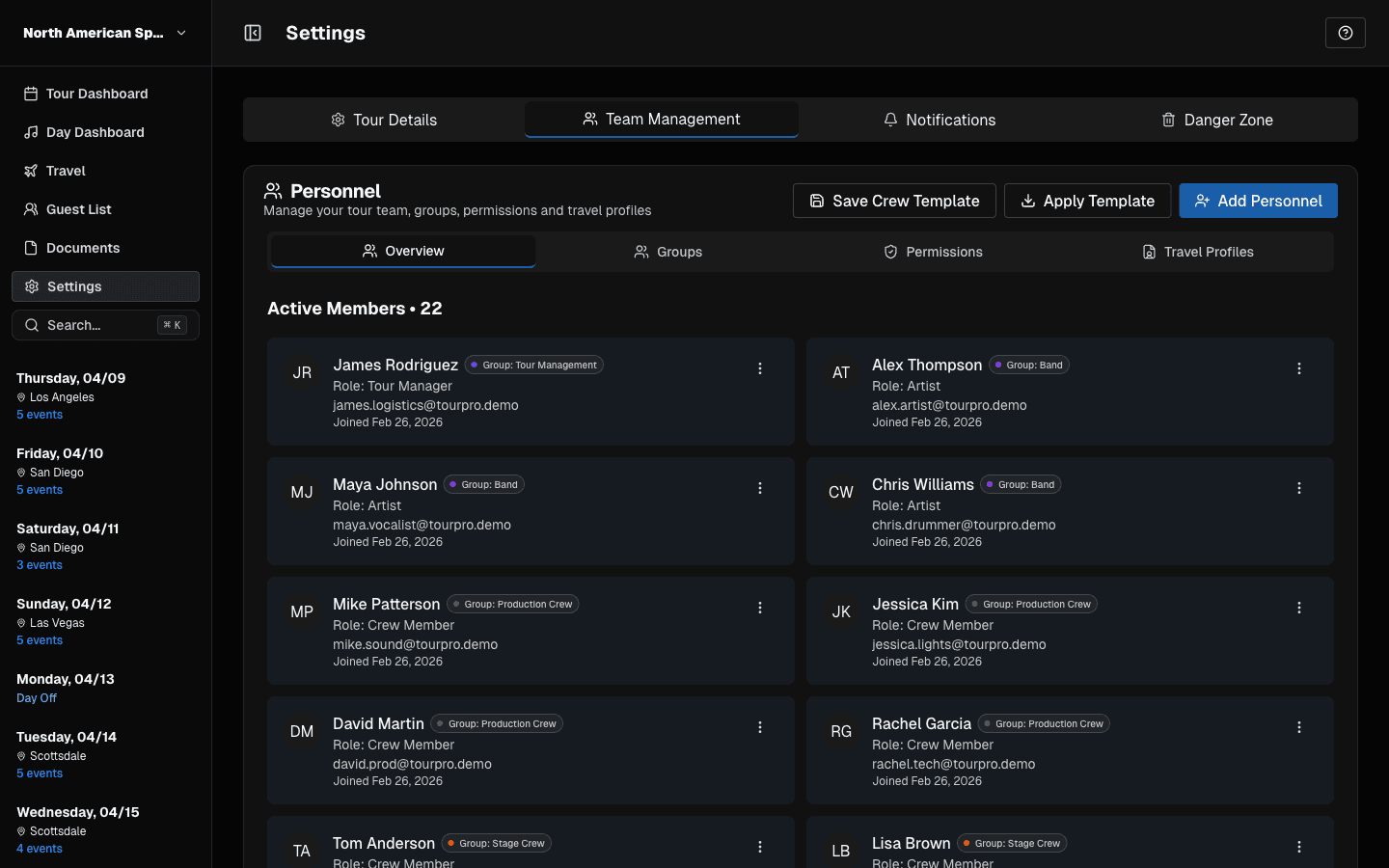 Team Management overview with members, roles, and tabs.
This panel is your quick read on who is currently assigned and in what role.
Team Management Tabs
- Overview: active members + pending invites
- Groups: organize users into operational groups
- Permissions: role defaults + custom overrides
- Travel Profiles: traveler-specific data
Invite Workflow
Users with invite access can send invitations from Team Management.
If someone cannot join, resend the invite or cancel/reissue when necessary.
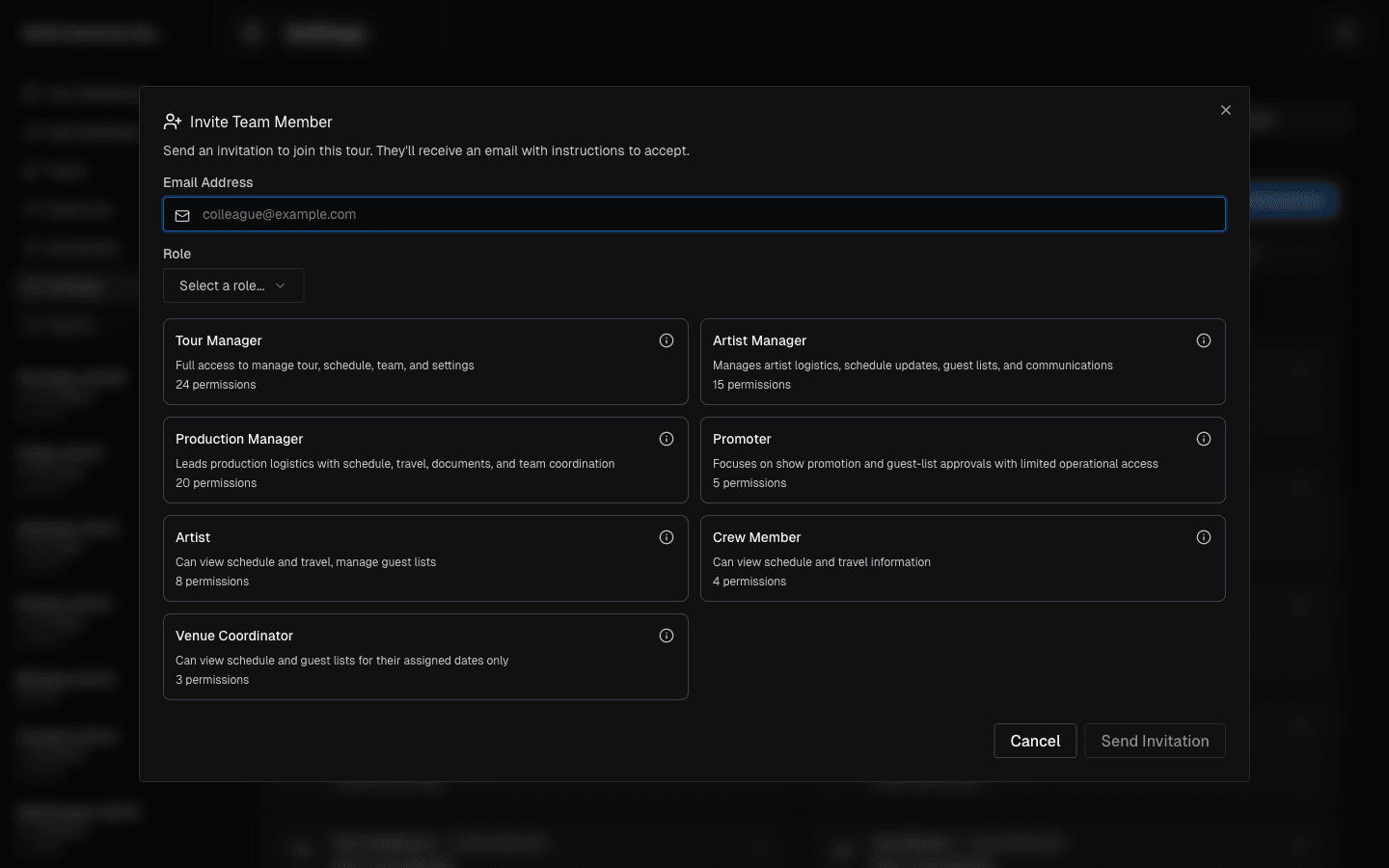 Invite flow: enter email, choose role, and send invitation.
Team Hygiene Best Practices
- Remove stale pending invites.
- Review access before each major tour leg.
- Keep role assignments explicit to avoid operational confusion.
Last updated on