A day sheet is the one page everyone on a tour reads: today's travel, venue, schedule from load-in to curfew, hotel, key contacts, and the notes that do not fit anywhere else. It is built from the advance you confirmed with the venue, and it goes out to the whole touring party the night before. Here is how to make one that people actually read.
What a Day Sheet Is (and Is Not)
The day sheet answers "where do I need to be and when" for a single date. It is not the advance. The advance is the document you send the venue weeks earlier to confirm times, specs, and requirements; the day sheet is what you hand your own people once those answers exist. It is also not the tour book: the tour book is every day compiled for the whole run, while the day sheet is just today, formatted so nobody has to scroll.
If the crew reads only one thing each morning, it is this page.
What Every Day Sheet Needs
What goes on a day sheet? Before you write anything, this is the checklist:
- Header: date and day of week, city, day type (show day, travel day, day off), day number in the run, and a time zone note if the day crosses one
- Travel: lobby call, bus call, drive time and distance, flight numbers and departure times, ground pickups
- Venue: name, address, capacity, load-in door, parking or bus parking, Wi-Fi, dressing rooms
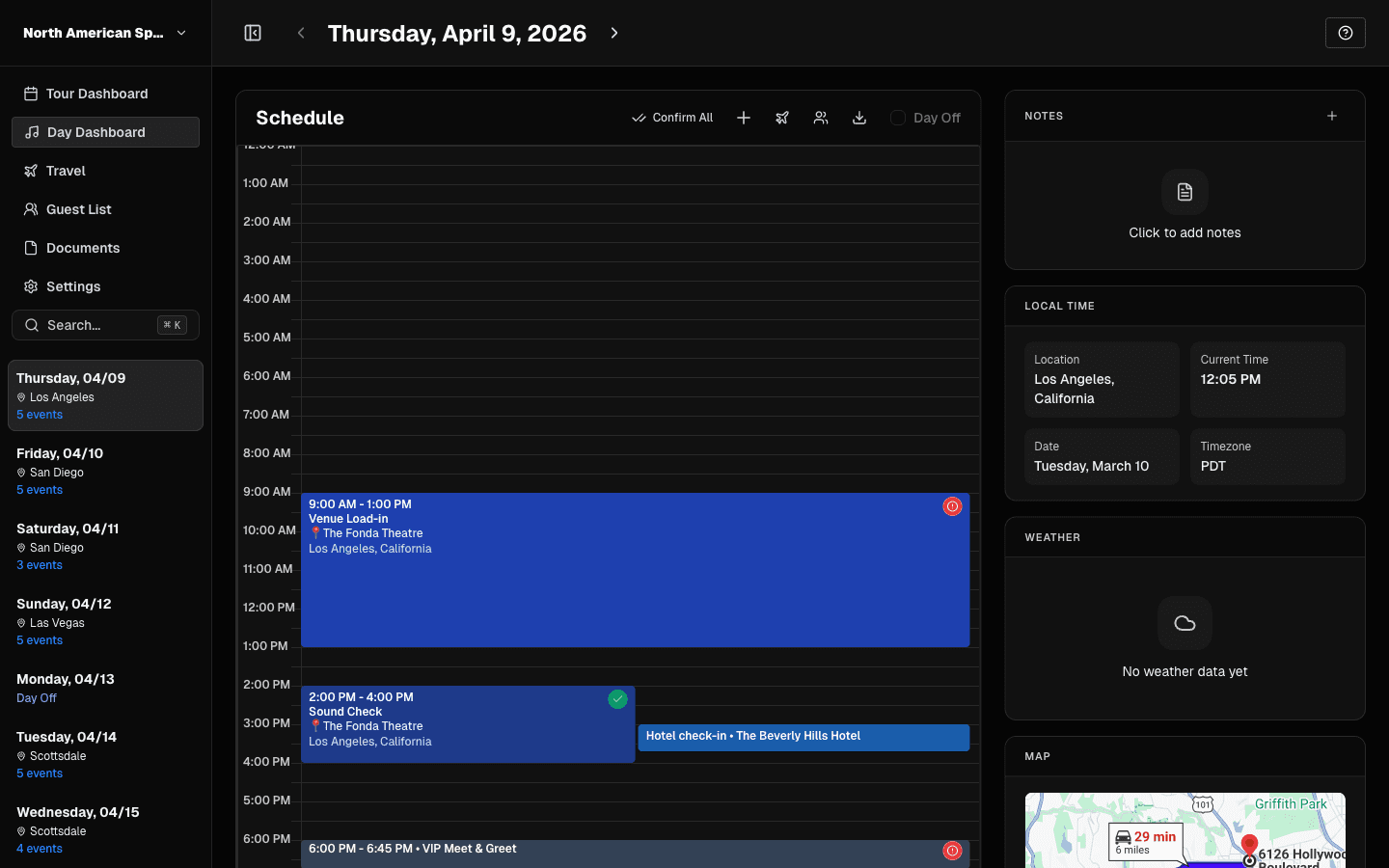
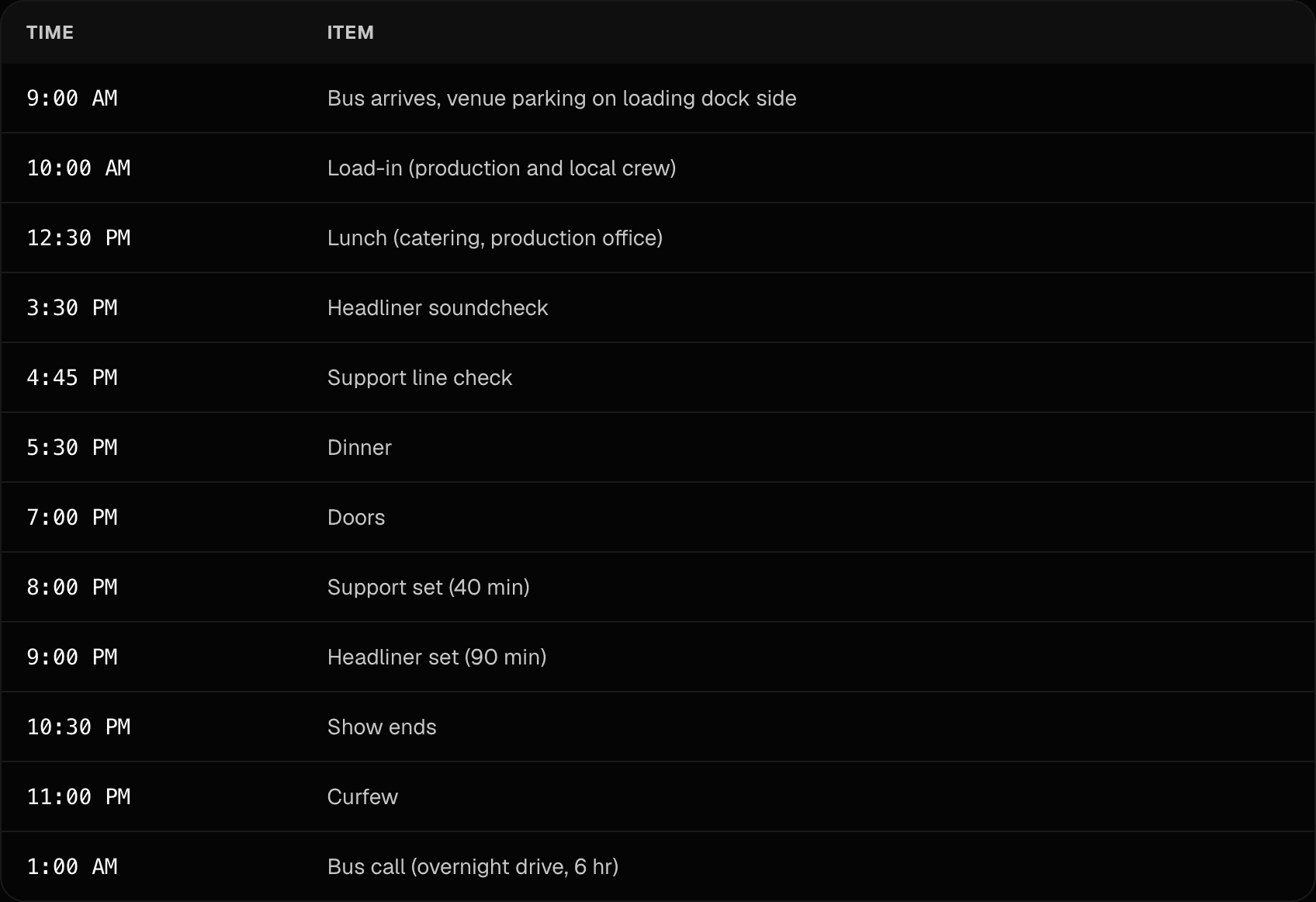
- Schedule: every timed event from load-in through curfew and load-out
- Hotel: name, address, phone, confirmation number, check-in and check-out
- Contacts: promoter rep, venue production manager, TM and PM cell numbers, runner or driver
- Notes: guest list cap and deadline, press and meet and greets, merch and settlement notes, weather
Step 1: Start From the Advance
The day sheet is built from confirmed information, not hopeful information. Open the advance for the date and pull the times the venue or promoter confirmed: load-in, soundcheck, doors, set times, curfew. If a time was never confirmed, mark it TBC on the sheet instead of guessing, and chase it that day. Our guide on how to advance a show covers how to get those confirmations.
Step 2: Fill the Header
Date, day of week, and city go at the top, plus the day type and where the day falls in the run ("Day 12 of 28"). The day of week matters more than it looks: at week four of a tour nobody remembers whether it is Tuesday, and half the crew will check the sheet before checking a calendar.
Step 3: Lay Out the Schedule
List every timed item in order, anchored on load-in and curfew since those two are the times the venue actually controls. Everything else hangs off them: soundcheck after the room is up, catering between checks, doors, support, headliner, curfew, load-out, bus call. Keep each line short: a time and a few words. If a line needs a paragraph, it belongs in notes.
Step 4: Add Travel
Lobby call and bus call first, since those are the times people set alarms for. On travel days add drive time, distance, and the next city. On fly dates add flight numbers, airports, and departure times, plus ground pickup details on both ends. When a day crosses a time zone, note the change in the header so a 9 AM lobby call is not read in the wrong zone.
Step 5: Add the Venue Block
Name, address, and capacity, then the details people need at the dock: which door or side is load-in, where the bus and vehicles park, Wi-Fi network and password, and where dressing rooms and the production office are. This is the block that answers texts while you are asleep.
Step 6: Add the Hotel Block
Hotel name, address, phone, and the confirmation number, which is the line most homemade sheets skip and the line the front desk asks for at 2 AM. Add check-in and check-out times, and note day rooms if the run books them on show days.
Step 7: Add Contacts
Cell numbers for the promoter rep, the venue production manager, your TM and PM, and the runner or driver. A day sheet without numbers turns a five-minute problem into a chain of forwarded texts.
Step 8: Add Notes
Whatever does not fit a section but has to be said: guest list cap and the submission deadline, press or meet and greet obligations, merch split or settlement notes, and anything unusual about the day. Keep it to what changes behavior that day.
Example: a Fly-Date Club Show
A typical fly-in show day: morning flight, afternoon check, evening set, night at the hotel instead of the bus.
| Time | Item |
|---|---|
| 6:15 AM | Lobby call, vans to airport |
| 8:05 AM | Depart ORD, flight to BNA |
| 10:20 AM | Ground pickup, to venue |
| 11:30 AM | Load-in (local crew) |
| 2:00 PM | Soundcheck |
| 3:30 PM | Support line check |
| 4:00 PM | Hotel check-in |
| 5:00 PM | Dinner (catering) |
| 6:30 PM | Doors |
| 7:30 PM | Support set (30 min) |
| 8:45 PM | Headliner set (75 min) |
| 10:00 PM | Curfew |
| 10:15 PM | Load-out |
| 11:00 PM | Vans to hotel |
For a blank version covering travel days and days off too, grab our free day sheet template.
Three Ways to Make It
- A doc or notes app: works for short runs. Keep one file per day, use a template so the sections never drift, and export to PDF before sending.
- A spreadsheet: easy to duplicate across a run, but formatting gets mangled on phones and a stale copy circulates forever once it is out.
- Generated from the schedule: in TourPro the day sheet is built from the events, contacts, flights, hotels, and notes already in the tour, so a moved soundcheck lands on the sheet without a retype. Toggle the sections each day needs, export a day or a run of dates to PDF on any plan, or let each person read the day in the app. See day sheets and export and the mobile daily view, or the day sheets feature page.
Mistakes That Get Day Sheets Ignored
- Times that moved after the sheet went out. Re-issue the sheet when anything shifts; an old version is worse than none because people stop checking.
- No confirmation numbers or phone numbers. The sheet should answer the 2 AM questions without waking you.
- Missing time zone notes. A lobby call read in the wrong zone is a missed lobby call.
- Paragraphs instead of lines. A sheet that takes five minutes to read gets skimmed; a sheet that takes twenty seconds gets followed.
- Sending it too early. Send the night before, not a week out, so the version in the group chat is the current one.
Keep One Version in Circulation
Draft the sheet once the advance is confirmed, send it the night before, and re-send when anything changes, marked as updated. In TourPro the sheet reads live tour data and the day sheet the crew sees in the app is always the current one; the PDF export is for the venue office, the bus dashboard, and anyone who wants paper. The whole run compiles into the tour book when you need the full itinerary in one document.
For the terms used here, see the tour management glossary.