Tour management for nonprofit teams
One shared itinerary for staff, field teams, and volunteers, instead of PDFs and group chats.
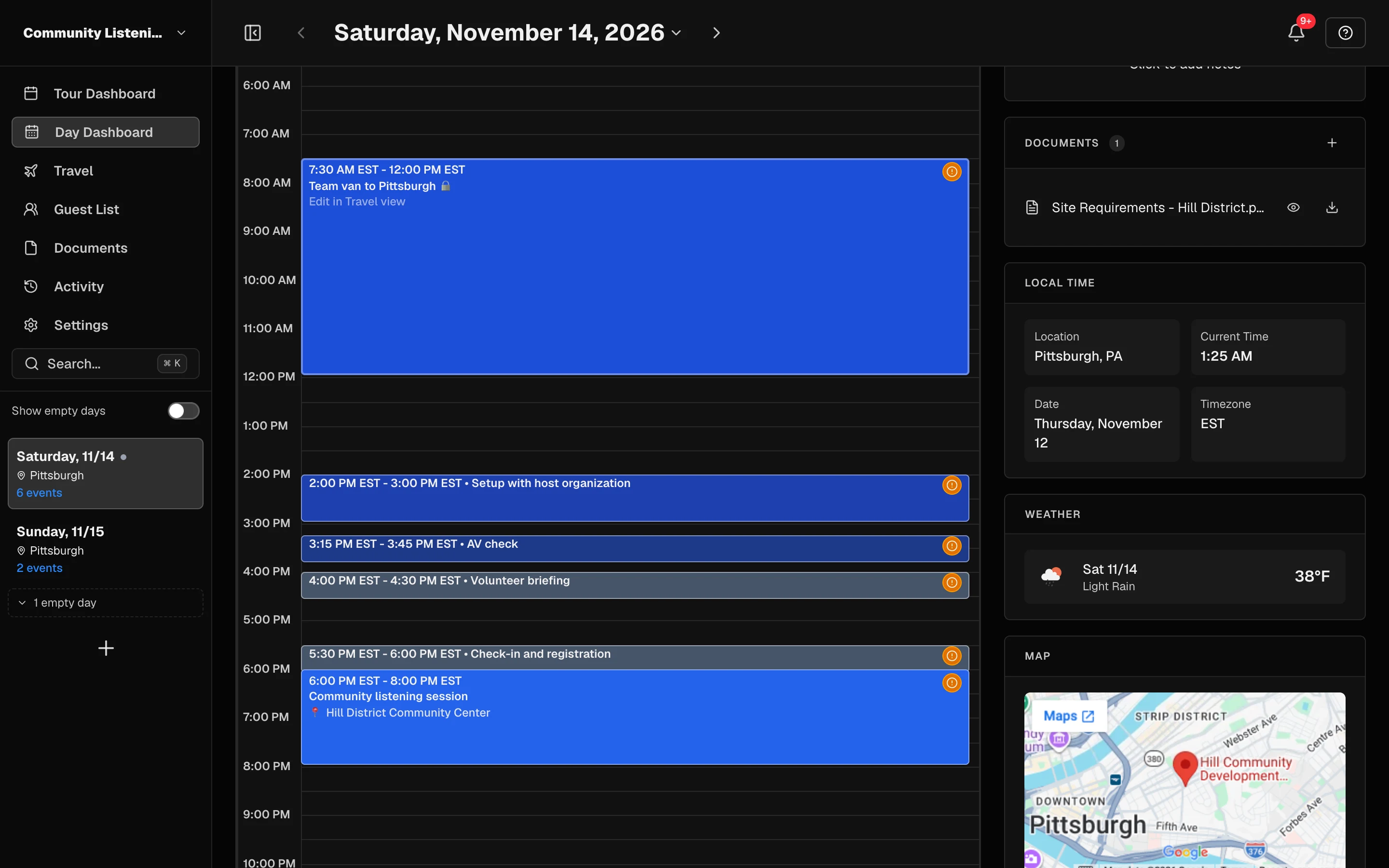
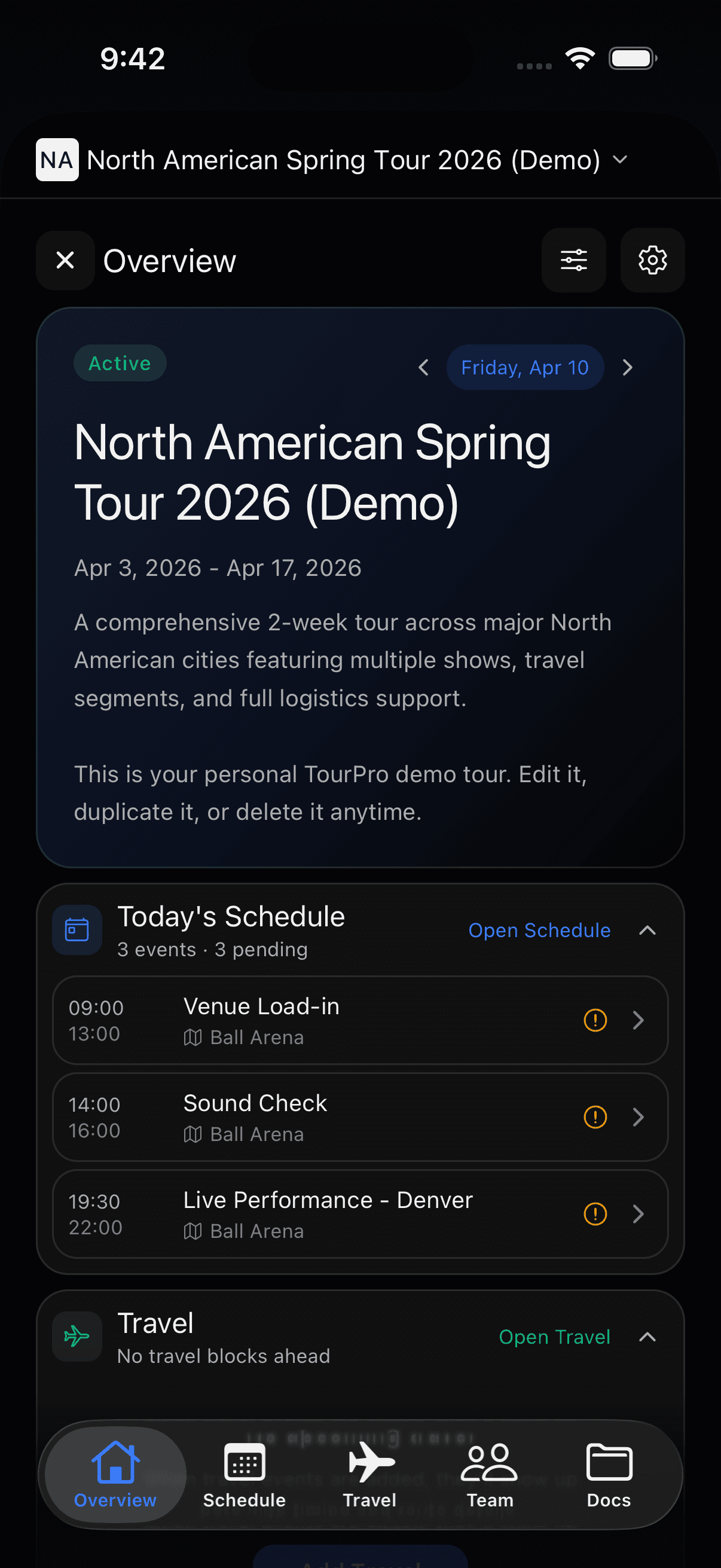
One brief for staff and site.
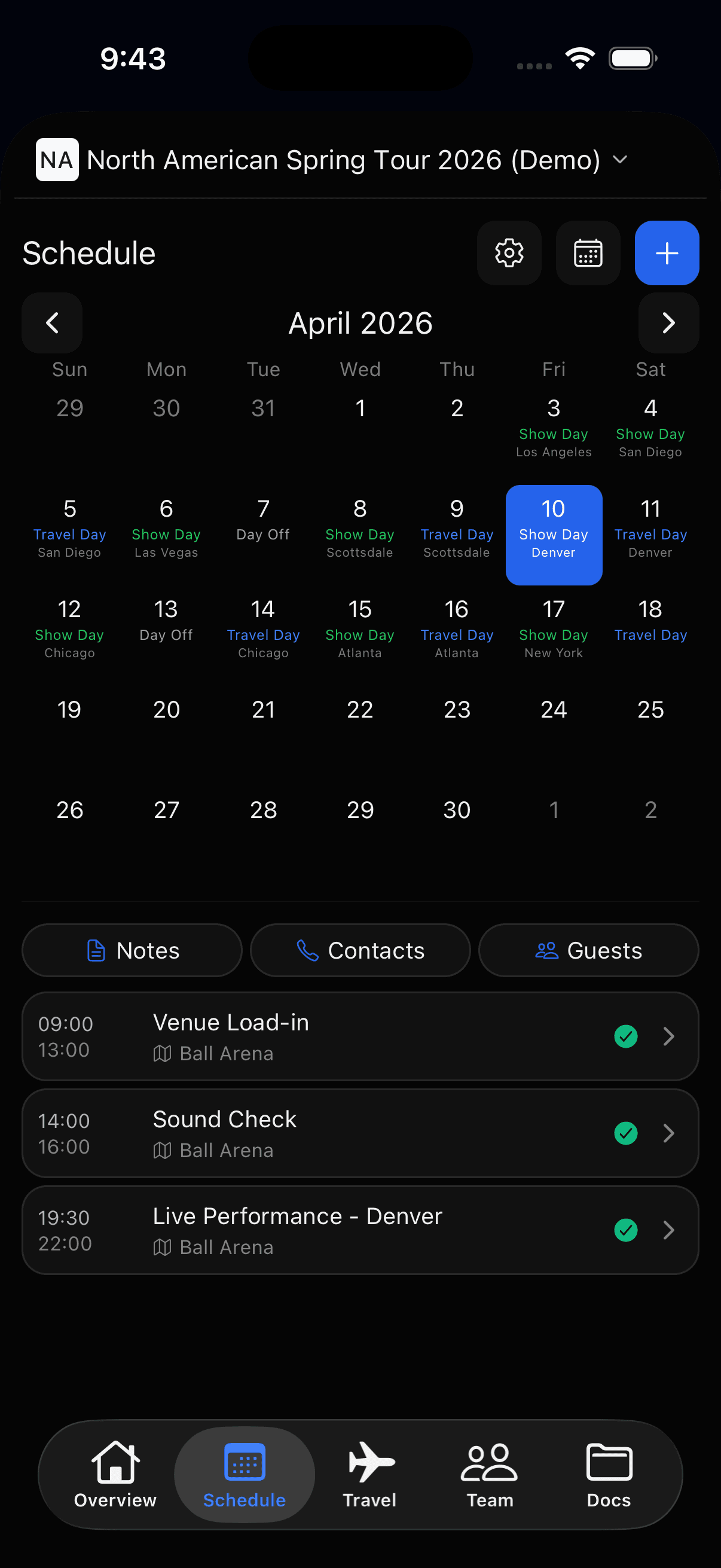
Program, setup, and travel times export to a single PDF per day — for staff, volunteers, and the host.
- Readable by staff and volunteers alike
- Site contacts and requirements attached
- No stale PDFs: the itinerary stays live
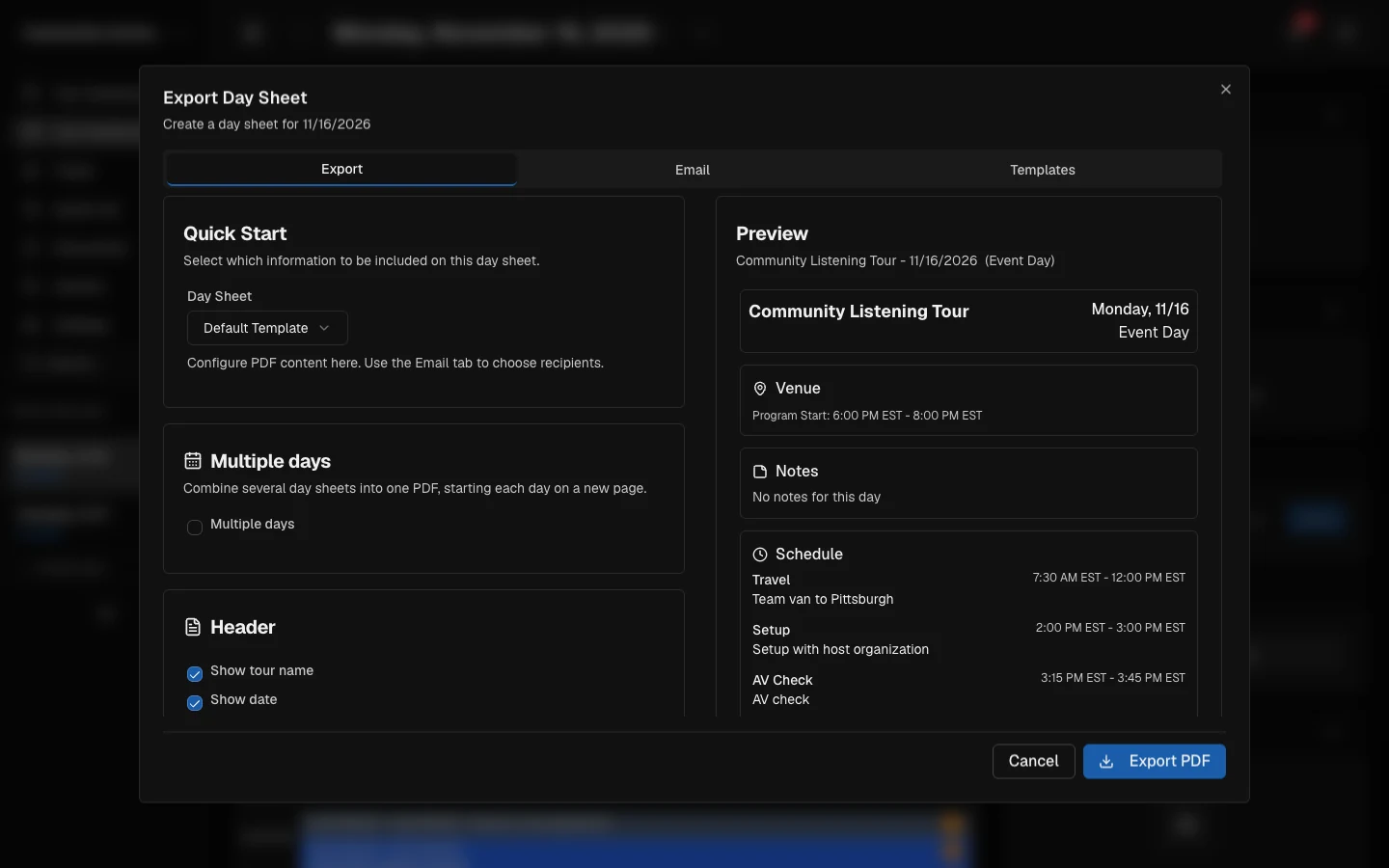
The host fills in the checklist.
Send each site a link. They fill in parking, setup, accessibility, and materials; answers land on the day.
- One link per site, no account needed
- Accessibility, materials, and rain-plan fields
- RSVP list on every event
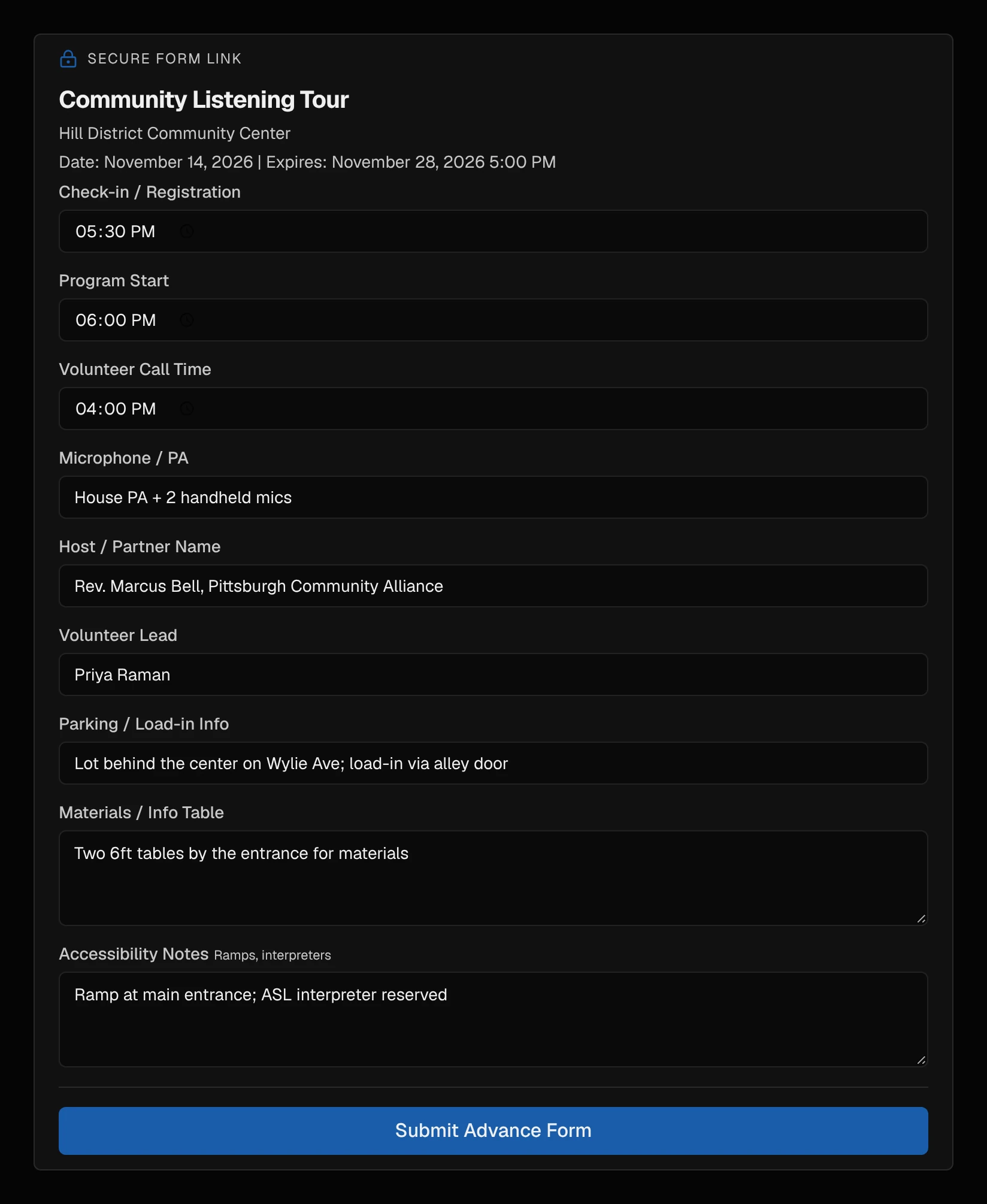
The schedule lives in every pocket.
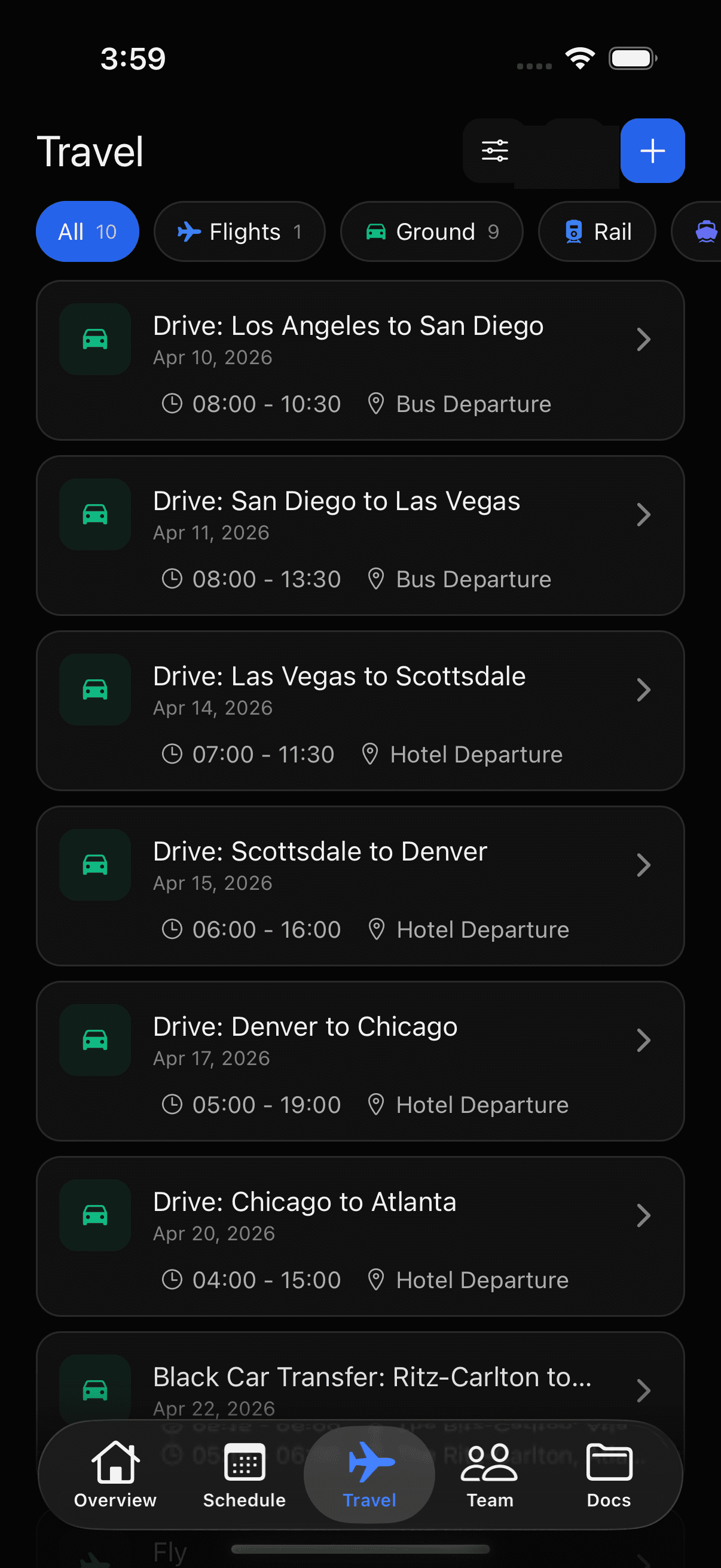
iPhone, Android, and desktop — when the plan shifts, the update reaches the whole team.
Sound familiar?
The traveling program team: A nonprofit running multi-city programs (speaker series, awareness campaigns, site visits, field organizing) with a small staff, volunteers, and a host organization at every stop.
- The trip itinerary is a PDF or doc emailed to staff and volunteers; every update means resending and hoping nobody works from the old version.
- Site logistics (parking, room setup, accessibility, AV) are confirmed over phone and email with each host and not written down anywhere shared.
- RSVP and attendee lists for each stop live in a different spreadsheet per site.
- Flights, hotels, and ground transport are forwarded around as booking confirmations; field staff piece together their own travel day.
- Local coordinator and host organization contacts live in one person's address book.
- Receipts and trip expenses get lost between the field and the reimbursement request.
What you call it, what TourPro calls it
| You call it | In TourPro |
|---|---|
| Program, event, or site visit | An event on the shared schedule |
| Program day | The day view on the schedule |
| Host organization or local partner | A key contact on the day |
| Site coordinator | A team role and contact |
| RSVP list or attendee list | The guest list for that event |
| Advance work or site prep | The advance: a per-date checklist you can share with the host as a link |
| Itinerary | The day sheet, exported as a PDF |
| Materials table | A logistics field on the advance |
One shared itinerary for the whole program
Start the trip free for your program team, or book a demo and we will walk through a real itinerary with you.
Frequently asked questions
What software do nonprofits use to manage program travel?
Most run it on PDF itineraries, spreadsheets, and email. TourPro applies tour management to the same problem: one shared schedule of stops with travel, hotels, RSVP lists, site logistics, and documents attached to each date, in web and mobile apps staff and volunteers already carry.
How do I organize a multi-city awareness campaign or speaker tour?
Create the trip as a tour: every city is a date, every program an event, every host a contact. Add travel and hotels, advance each site with a checklist the host fills in via link, and export day sheets for staff and volunteers.
Can volunteers and field staff see only part of the schedule?
Yes. Roles, groups, and per-event visibility let you show volunteers the program times and sites while keeping budgets, contracts, and internal notes to staff.
How do I keep RSVP lists and site logistics in one place?
Each event has its own guest list for RSVPs and attendees, and each date has an advance where you collect site details like parking, setup, accessibility, and the materials table. Both live on the schedule day, not in a spreadsheet.
Is TourPro affordable for a nonprofit?
The free plan covers teams of up to five members, which fits many program teams, and paid plans scale by team size. There is no per-seat admin charge, so coordinators, field staff, and volunteers can all have access.
TourPro for other industries
See everyone TourPro is for, every feature, or the free tour templates.