Tour management for public speakers
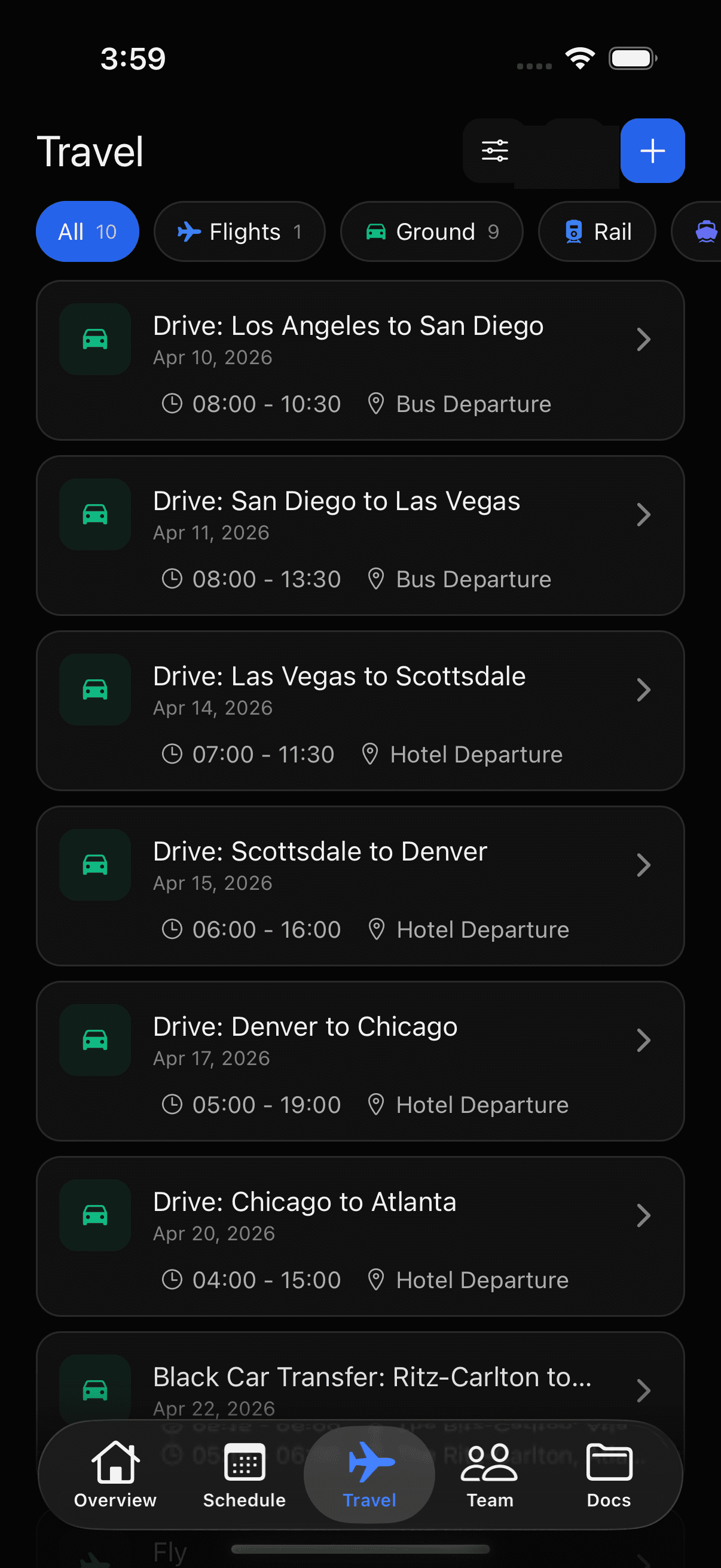
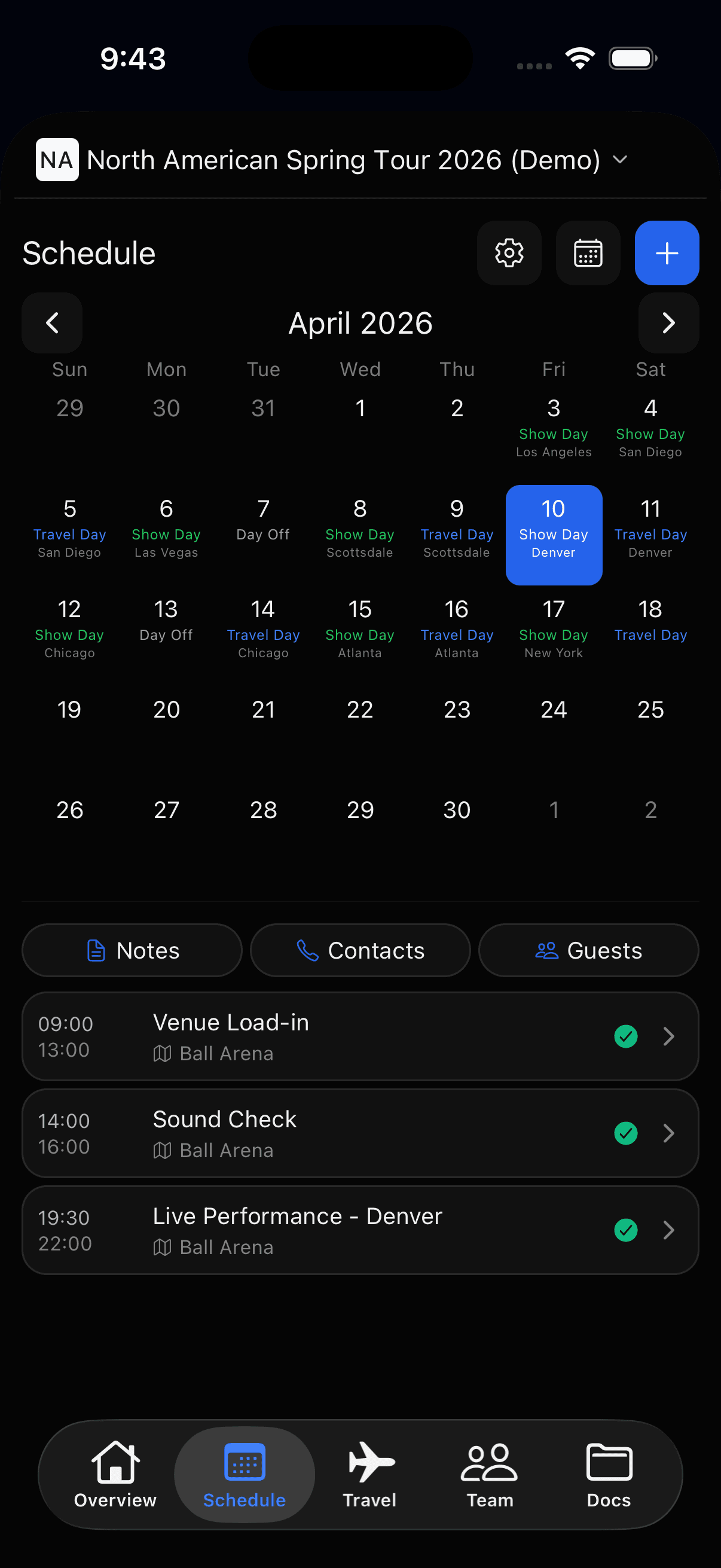
Every engagement means a new city, client contact, and AV setup. TourPro replaces PDF itineraries and group chats with one shared schedule your whole team works from, from booking day to stage time.
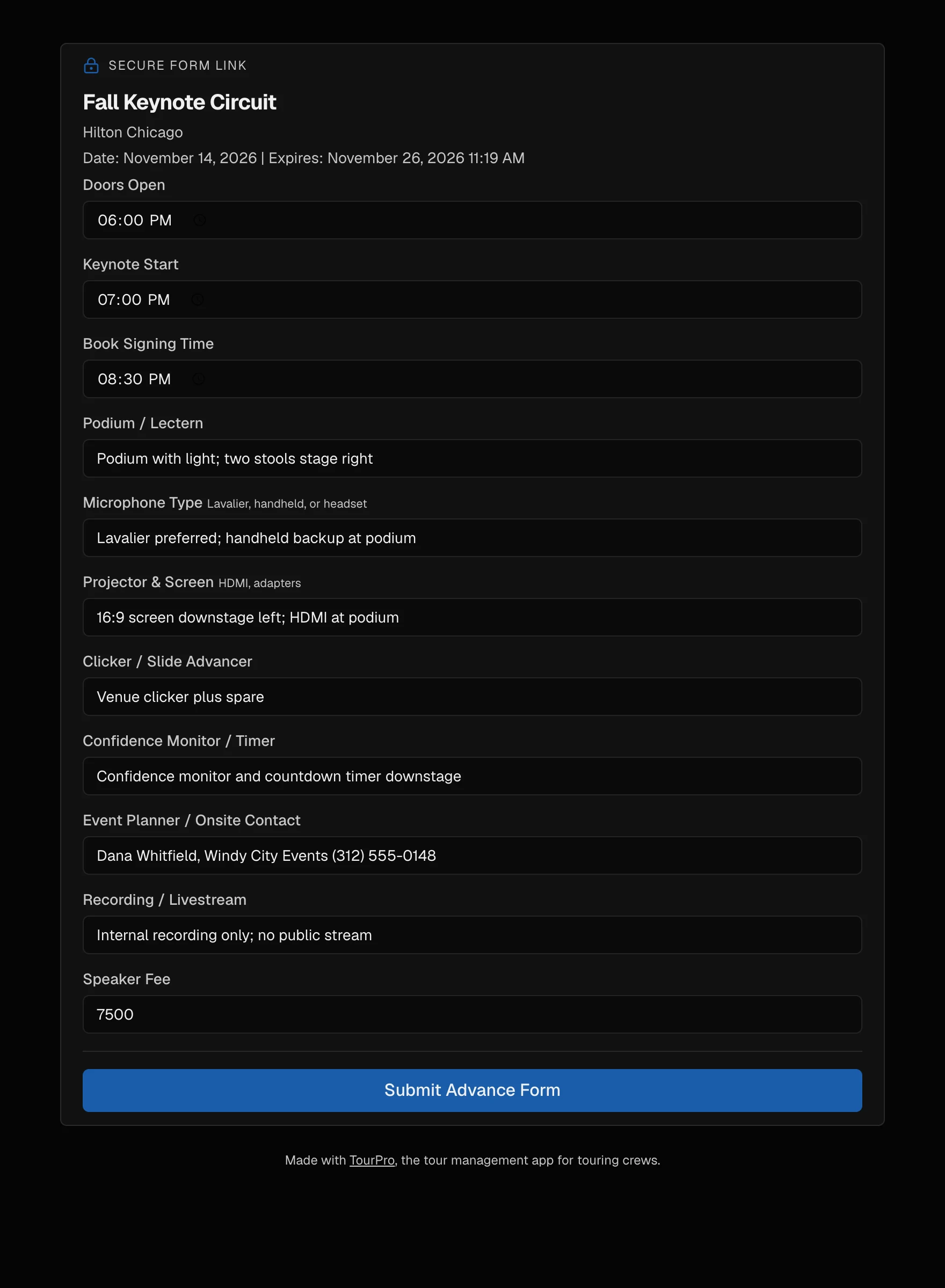
The venue fills in the rider.
Send each venue a link. They confirm podium, mic, screen, and book table; answers land on the day.
- One link per venue, no account needed
- Podium, mic type, and AV fields
- Speaker fee on the same form
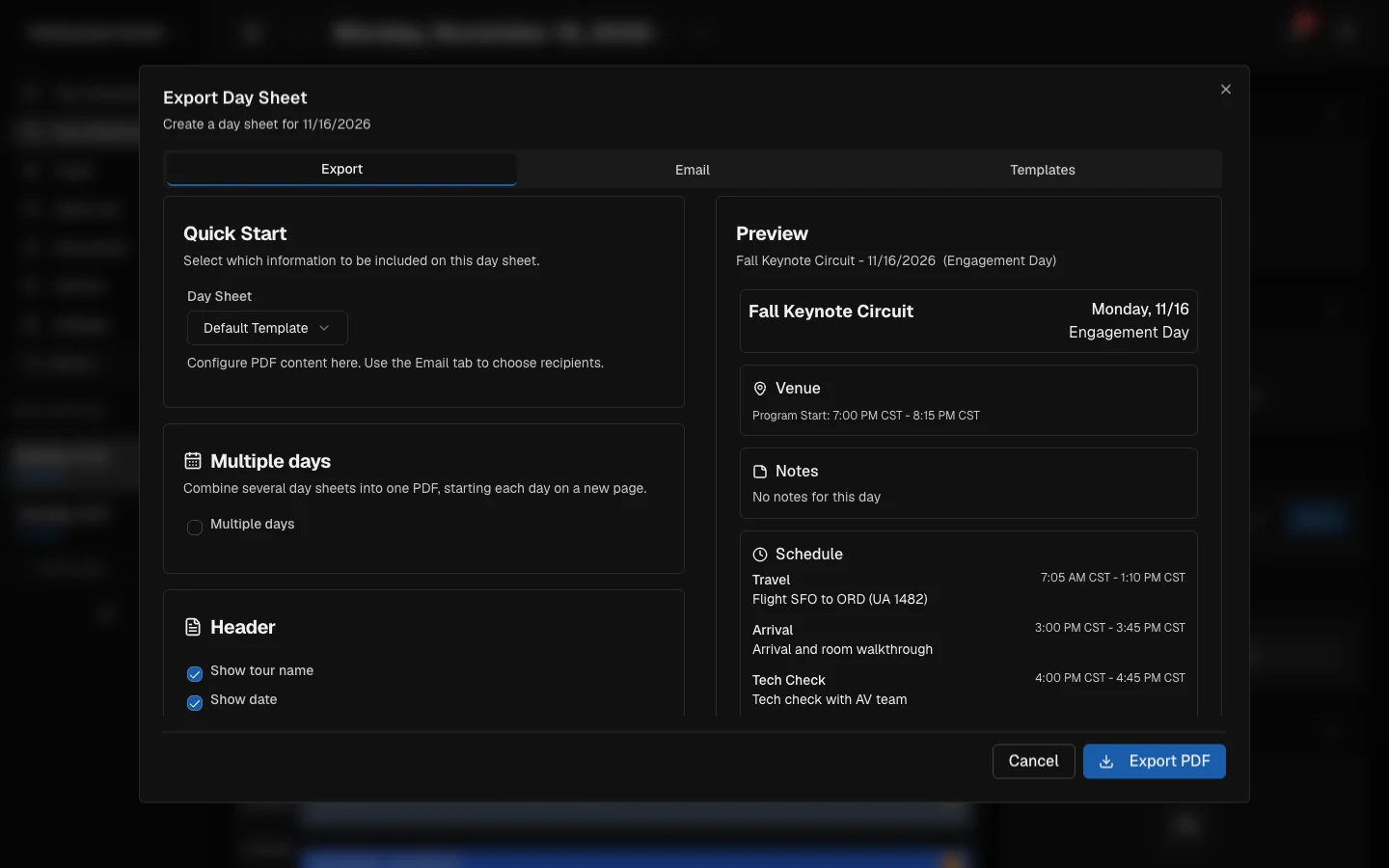
The itinerary builds itself.
Every event day exports to a PDF: arrival, tech check, program start, contacts, hotel, travel.
- A one-pager the client can actually read
- Flights and hotels attached to the day
- Same document for agent, assistant, and planner
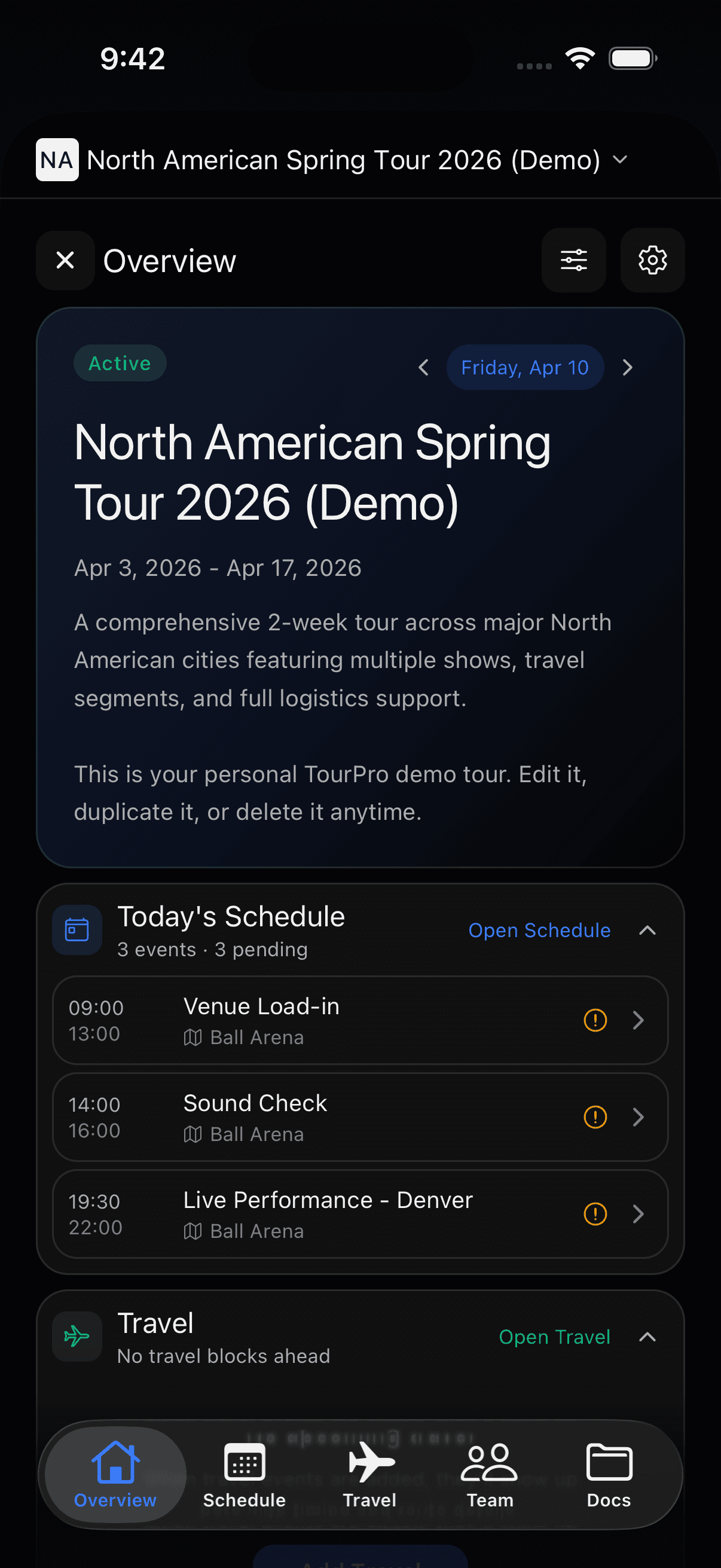
The schedule lives in every pocket.
iPhone, Android, and desktop — when the plan shifts, the update reaches the whole team.
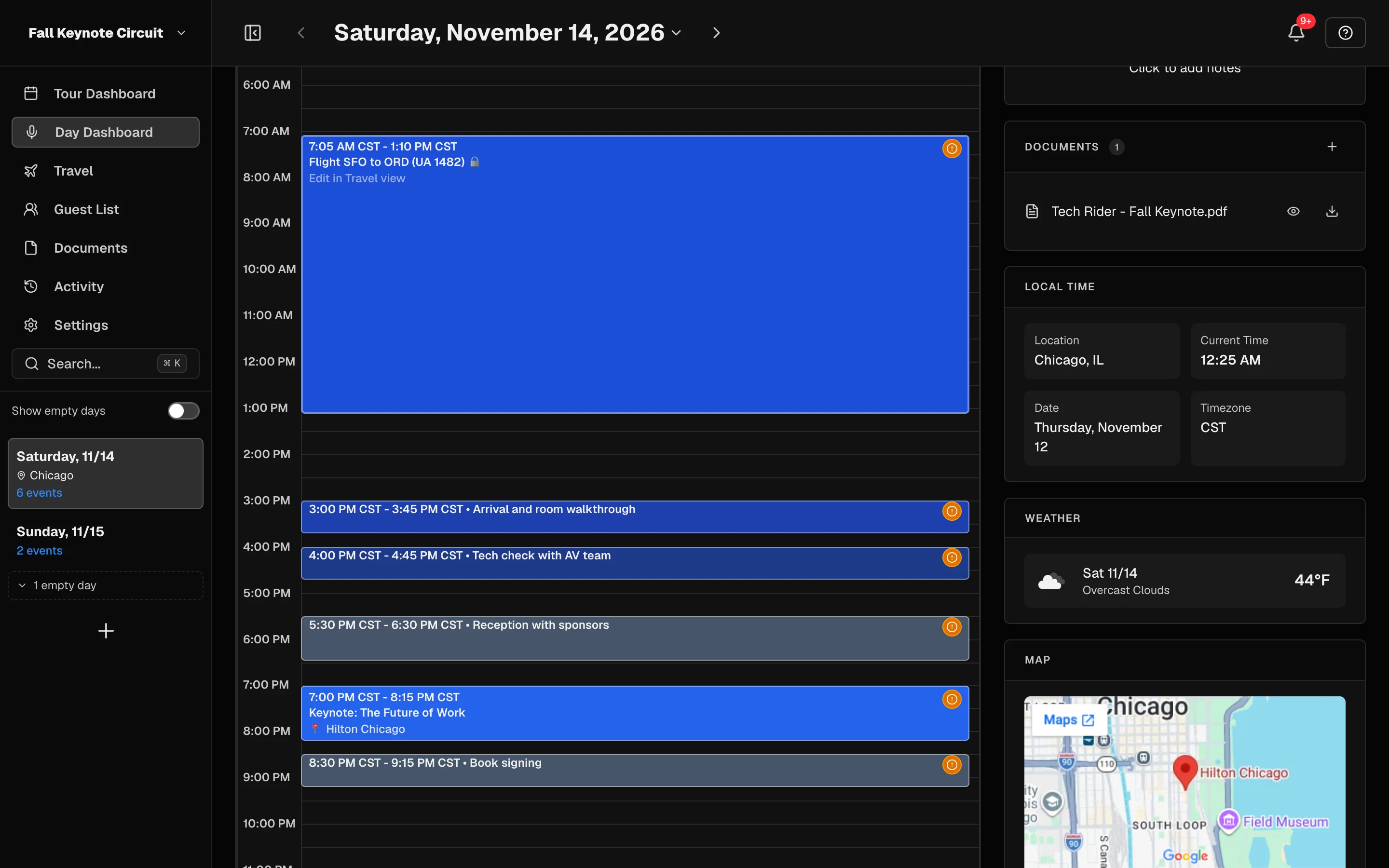
Sound familiar?
The working keynoter: A professional speaker (leadership, motivational, industry expert) doing 20 to 80 paid engagements a year, booked direct or through bureaus, traveling with an assistant, agent, or small team.
- Each client sends logistics by email and attachments; the "final" itinerary is a PDF that's outdated the moment it lands.
- Flight, hotel, and ground details live in booking confirmations scattered across an inbox, re-typed into notes for the assistant.
- AV requirements, green room requests, and book table placement are confirmed in an email thread nobody can find on event day.
- The agent, assistant, and road manager each keep a different version of the schedule in their own spreadsheet.
- When a client moves the session time or changes ballrooms, the update goes out in a group chat and half the team misses it.
- Per-engagement expenses (travel, ground, shipping books) are reconstructed for invoicing from receipts and memory.
What you call it, what TourPro calls it
| You call it | In TourPro |
|---|---|
| Engagement or speaking date | An event on the shared schedule |
| Event day | The day view on the schedule |
| Tech check or AV check | A related event on the event day |
| Pre-program questionnaire or pre-event call | The advance: a per-date checklist you share with the client as a link they can fill in |
| Buyer, client, or event planner | A key contact on the day |
| Itinerary | The day sheet, exported as a PDF |
| Comp seats | The guest list for that event |
| Book table | A logistics field on the advance |
One schedule from booking day to stage time
Start your next engagement free, or book a demo and we will build an upcoming date with you.
Frequently asked questions
What is the best tour management software for public speakers?
TourPro is built for exactly this workflow: a shared schedule of engagements, travel and hotels attached to each date, per-date logistics sheets you can share with clients, day sheets as PDFs, and expense tracking per engagement. It works for solo speakers and for teams with an agent, assistant, or road manager.
How do professional speakers keep travel and itineraries organized?
Most stitch together PDF itineraries, booking confirmation emails, spreadsheets, and group chats. TourPro consolidates them: every engagement carries its own schedule, flights, hotel, contacts, logistics answers, and documents, and the mobile app keeps it in your pocket on event day.
Can my agent or assistant see my speaking schedule?
Yes. Team members join the tour with roles and permissions, so an agent or assistant can view or edit the schedule while clients see nothing until you share a link. A calendar feed also puts the schedule into your own calendar app.
Is TourPro only for bands and musicians?
No. TourPro is a tour management platform: dates, travel, hotels, guest lists, logistics advances, and documents apply to anyone who works city to city. Speaking engagements, comedy tours, and nonprofit program travel all map to the same machinery.
Does TourPro handle contracts and invoicing for speakers?
TourPro is not a contract or invoicing tool. What it does is keep the signed contract and AV rider attached to the engagement, track the logistics the client confirmed, and record travel expenses per date, so the operational side of every booking is in one place.
TourPro for other industries
See everyone TourPro is for, every feature, or the free tour templates.